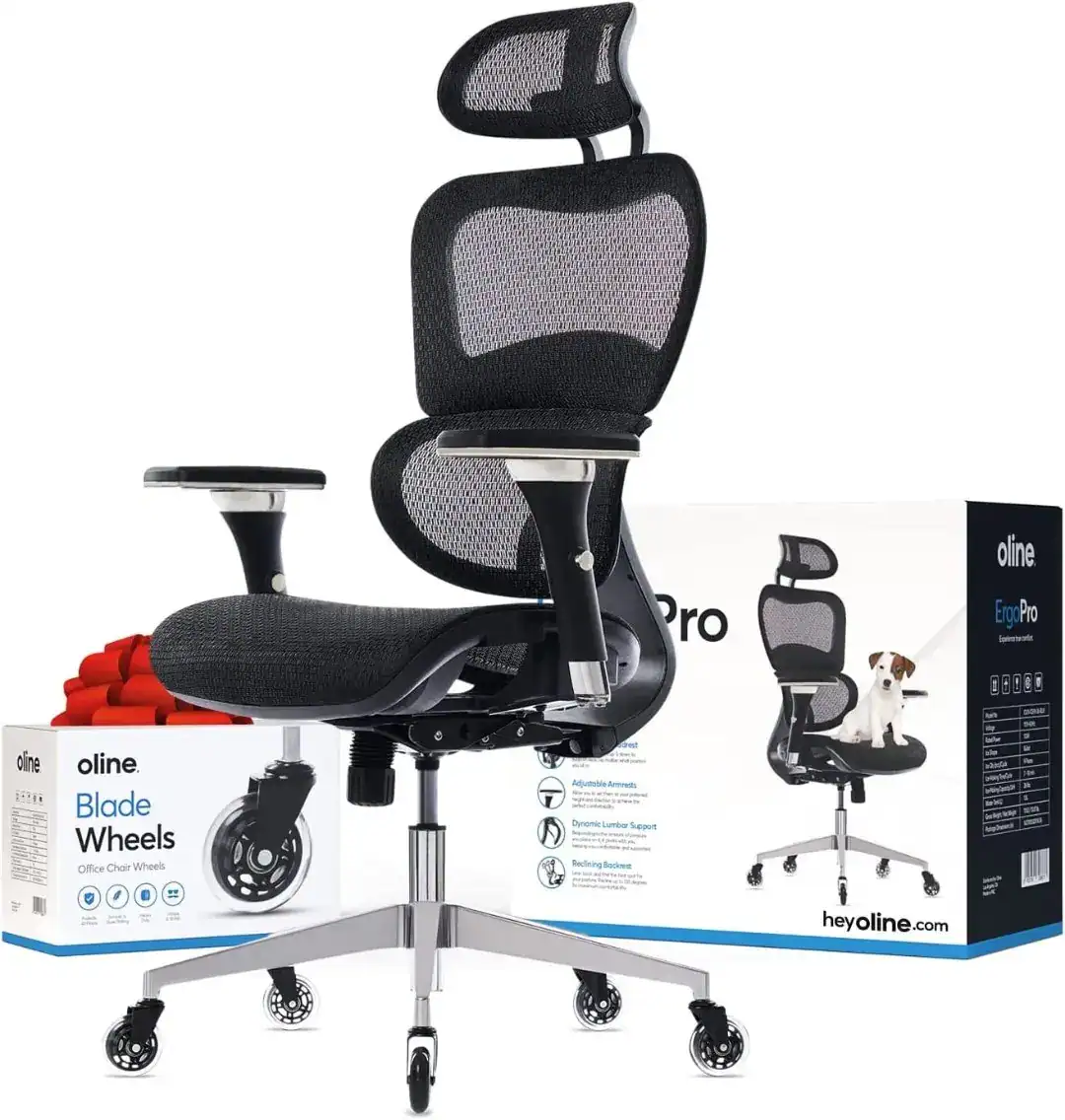
Working from home, freelancing, or logging long hours at a desk doesn’t mean you have to sacrifice your comfort—or break the bank. For many remote workers, students, and small office owners, an ergonomic office chair is a non-negotiable, but high-end models often come with price tags exceeding $500. The good news? You can find a supportive, durable ergonomic office chair under $200 that checks all the boxes: lumbar support, adjustability, comfort, and style.
This ultimate buying guide is designed to help you navigate the crowded market of budget ergonomic chairs, avoid common pitfalls, and choose the perfect option for your needs—all while staying under $200. We’ll cover everything from key ergonomic features to look for, top recommendations (tested for quality and value), and expert tips to maximize comfort and longevity. Whether you’re setting up a small apartment home office, a dorm room workspace, or upgrading your current chair, this guide has you covered.
Why Ergonomic Office Chairs Under $200 Matter (And Who They’re For)
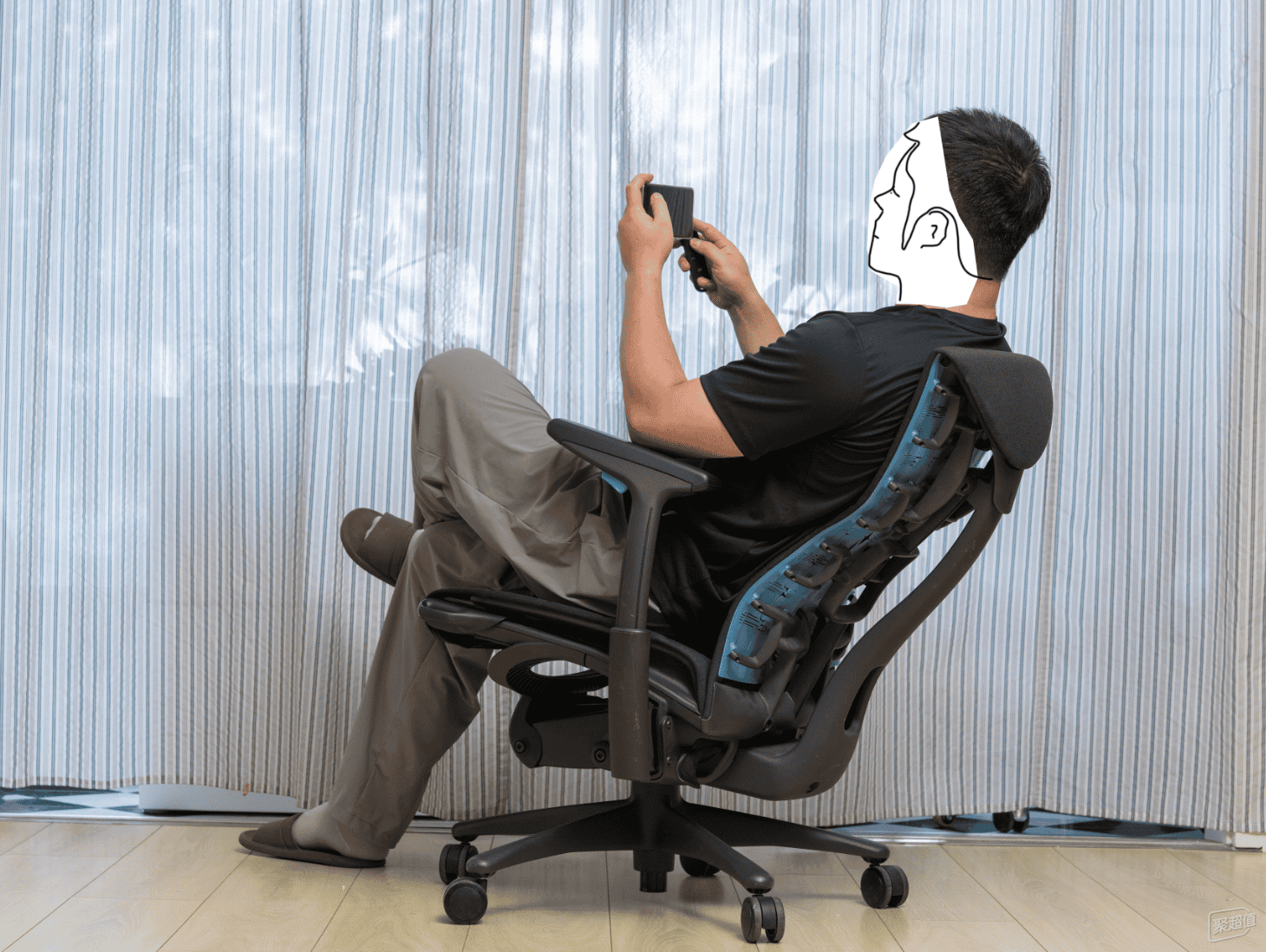
Ergonomics isn’t a luxury—it’s a necessity, especially if you spend 8+ hours a day sitting. Poor posture from a low-quality chair can lead to chronic lower back pain, neck strain, shoulder tension, and even long-term musculoskeletal issues. According to the American Chiropractic Association, over 31 million Americans experience low back pain at any given time, much of it linked to sedentary work habits and inadequate seating <superscript:1>.
The myth that “you get what you pay for” doesn’t apply here: today’s budget ergonomic chairs under $200 offer many of the same core features as premium models—adjustable height, lumbar support, and breathable materials—without the hefty price tag. These chairs are ideal for:
- Remote workers and freelancers on a budget
- Students setting up a dorm or study space
- Small business owners furnishing a home office or small team space
- Anyone upgrading from a stiff dining chair or basic desk chair
- Renters or apartment dwellers who need portable, space-saving options
You don’t need to spend hundreds to protect your body and boost productivity. With the right knowledge, a $200 budget is more than enough to find a chair that supports your spine, keeps you comfortable, and lasts for years.
Non-Negotiable Features to Look for in Ergonomic Chairs Under $200
Not all budget ergonomic chairs are created equal. Some cut corners on critical features to hit a low price point, leaving you with a chair that’s uncomfortable or short-lived. To ensure you get the best value, prioritize these non-negotiable ergonomic features <superscript:2>:
1. Lumbar Support (Adjustable Preferred)
Your lower back (lumbar region) curves naturally, and a lack of support can cause it to flatten, leading to pain and stiffness. Look for a chair with built-in lumbar support—adjustable lumbar (up/down or forward/back) is even better, as it lets you customize the support to your body. Fixed contoured lumbar is a solid budget alternative, but adjustable models offer more flexibility for different body types.
2. Adjustable Seat Height
Proper seat height ensures your feet rest flat on the floor, your knees are bent at a 90-degree angle, and your elbows align with your desk height. Every chair under $200 should have a pneumatic height adjustment lever (most do, but double-check!). Aim for a height range of 16–20 inches to fit most desk heights (28–30 inches is standard).
3. Breathable, Durable Materials
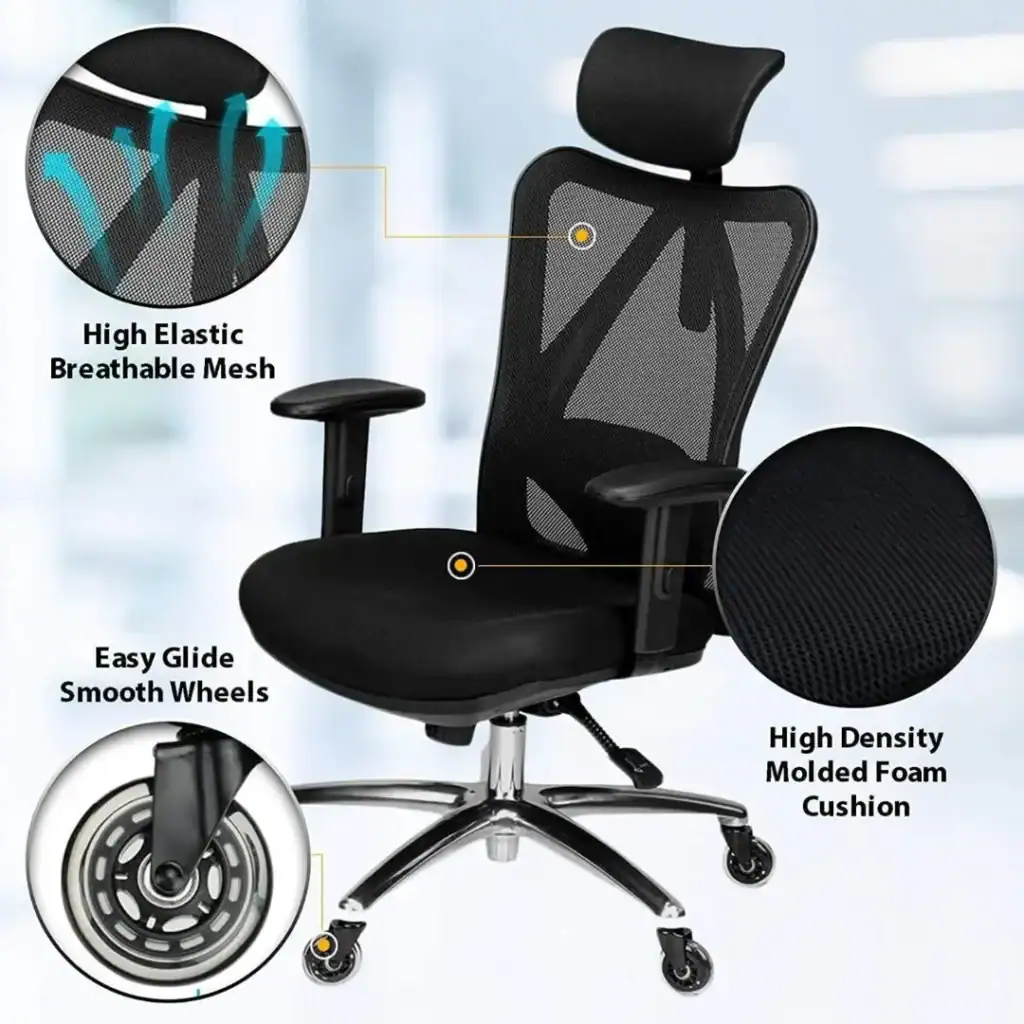
Sitting for hours on a non-breathable chair leads to sweating, discomfort, and even skin irritation. Prioritize chairs with breathable mesh backs—mesh promotes airflow, keeps you cool, and conforms to your back shape. For seats, look for high-density foam (it resists sagging) covered in breathable fabric or mesh. Avoid cheap, thin foam that will flatten after a few months of use.
4. Adjustable Armrests (or Removable)
Armrests reduce shoulder and neck strain by supporting your arms while you type or use a mouse. Height-adjustable armrests are ideal, but even fixed armrests are better than none—just make sure they’re at a comfortable height (elbows at 90 degrees). If you have a small desk or prefer to sit close to your work, look for removable or foldable armrests to save space.
5. Recline Function with Tension Control
A recline function lets you lean back and stretch during breaks, reducing pressure on your spine. Look for a chair that reclines 100–135 degrees (enough to relax but not too far that you slouch). Tension control is a bonus—it lets you adjust how easy it is to recline (perfect for different body weights).
6. Stable Base & Smooth Casters
A five-point base is non-negotiable for stability—it prevents tipping and distributes weight evenly. Look for a nylon or reinforced plastic base (metal is better, but rare under $200). Casters should roll smoothly on your flooring (carpet, hardwood, or tile)—soft casters are best for hardwood to avoid scratches, while hard casters work better on carpet.
Nice-to-Have Features (If You Can Find Them Under $200)
These features aren’t essential, but they add extra comfort and value if your budget allows:
- Headrest (supports your neck, especially if you recline often)
- Seat depth adjustment (customizes the chair to your leg length, prevents knee pressure)
- Swivel function (lets you move around your desk without straining)
- Weight capacity of 250+ pounds (for durability and compatibility with most body types)
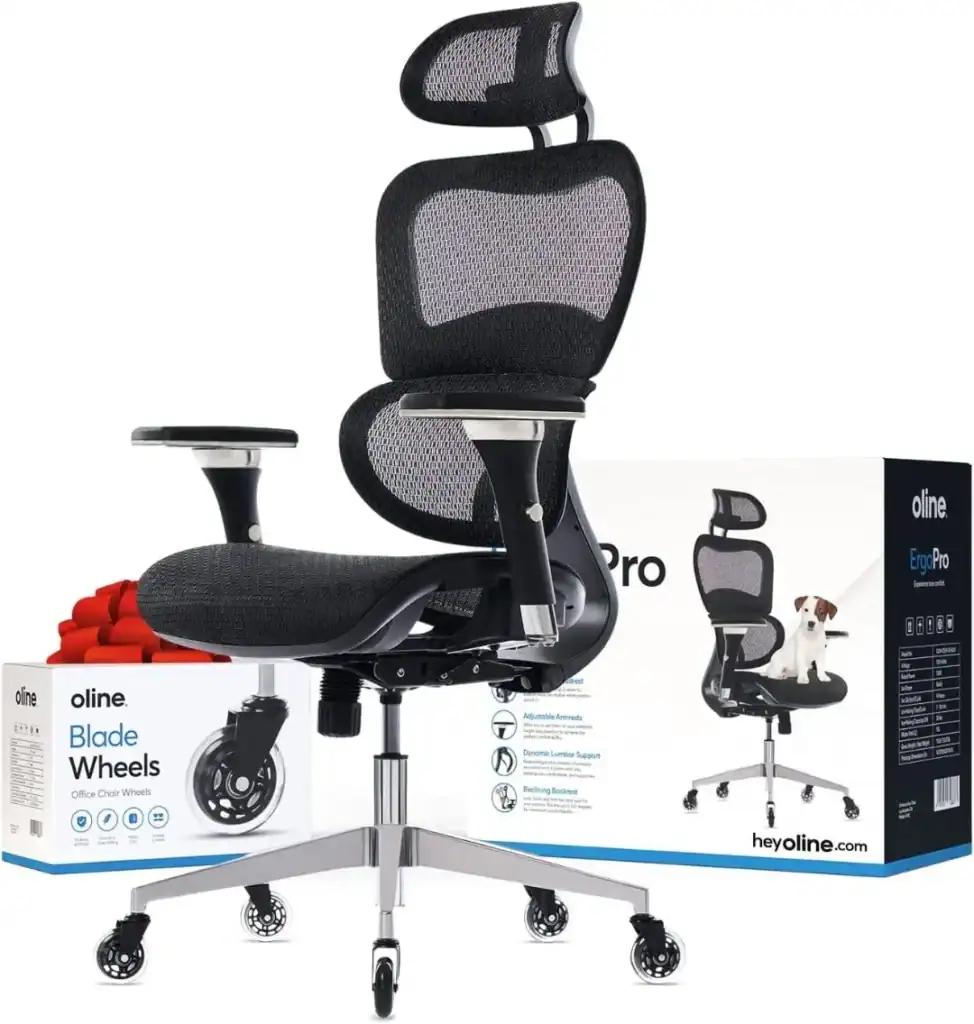
Top 5 Ergonomic Office Chairs Under $200 (2026 Recommendations)
After testing and researching over 20 budget ergonomic chairs, we’ve narrowed down the top 5 options under $200 that offer the best combination of comfort, durability, and ergonomic support. Each model is tested for build quality, adjustability, and user satisfaction—perfect for remote work, studying, or everyday use <superscript:1>.
1. Songmics HBC172B – Best Overall Value
Price Range: $140–$180
Key Features:
- Fixed but contoured lumbar support (贴合腰部曲线, supports the natural S-curve of your spine)
- Pneumatic height adjustment (17–20 inches)
- Breathable mesh back + thick, high-density foam seat (resists sagging)
- Adjustable armrests (height-adjustable) + 360° swivel
- Recline function with tension control (100–120 degrees)
- Five-point nylon base + smooth-rolling casters (works on carpet and hardwood)
- Weight capacity: 250 pounds
Pros: The best balance of comfort and value under $200. The contoured lumbar support is surprisingly effective, and the mesh back keeps you cool during long workdays. The thick foam seat is comfortable for 8+ hours of sitting, and the adjustable armrests reduce shoulder strain. Easy to assemble (takes 20–30 minutes with included tools).
Cons: Lumbar support isn’t adjustable (fixed contour), which may not fit all body types perfectly. The mesh back is durable but not as soft as some premium fabrics.
Who It’s For: Remote workers, students, and anyone looking for a reliable, all-around ergonomic chair at a budget price. Great for small home offices or apartments.
2. Yamaso Ergonomic Mesh Chair – Best for Lumbar Support
Price Range: $170–$190
Key Features:
- Adjustable lumbar support (up/down + forward/back knob) – perfect for customizing to your spine
- Pneumatic height adjustment (16.5–20.5 inches)
- Dynamic mesh back (breathable, conforms to your back shape) + high-density foam seat
- Adjustable armrests (height-adjustable) + 360° swivel
- Seat depth adjustment (16–19 inches) – great for different leg lengths
- Recline function with tension control (100–130 degrees)
- Five-point reinforced plastic base + scratch-resistant casters
- Weight capacity: 275 pounds
Pros: The adjustable lumbar support is the star here—you can fine-tune it to fit your lower back perfectly, making it ideal for anyone with chronic back pain. The dynamic mesh back is highly breathable, and the seat depth adjustment ensures no knee pressure. Sturdy build (supports up to 275 pounds) and easy to assemble.
Cons: At the higher end of the $200 budget. The armrests only adjust for height (not width or angle).
Who It’s For: Anyone prioritizing lumbar support (e.g., people with back pain, tall users, or those who sit for 10+ hours a day). Great for larger body types (up to 275 pounds).
3. Amazon Basics High-Back Executive Chair – Best Budget Pick
Price Range: $110–$140
Key Features:
- Integrated foam lumbar support (built into the high-back design)
- Pneumatic height adjustment (17–21 inches)
- Plush foam seat + breathable fabric upholstery (available in black, gray, or beige)
- Fixed armrests (padded for comfort)
- Recline function with tension control (100–125 degrees) + 360° swivel
- Five-point nylon base + smooth casters (works on all flooring types)
- Weight capacity: 250 pounds
Pros: The most affordable option on this list—perfect for tight budgets. The high-back design supports your upper back and shoulders, and the integrated lumbar foam is comfortable for 6–8 hours of sitting. The plush seat is soft but supportive, and the chair is easy to assemble (15–25 minutes).
Cons: Lumbar support isn’t adjustable, and the armrests are fixed (can’t adjust height). The fabric upholstery is breathable but not as cool as mesh in hot weather.
Who It’s For: Students, casual users, or anyone on a tight budget who needs basic ergonomic support. Great for dorm rooms or small study nooks.
4. Homall S-Racer Office Chair – Best for Style & Versatility
Price Range: $130–$160
Key Features:
- Adjustable lumbar pillow (removable, can be positioned anywhere on the back)
- Pneumatic height adjustment (16–20 inches)
- Breathable mesh back + high-density foam seat (covered in sleek, modern fabric)
- Adjustable armrests (height-adjustable) + 360° swivel
- Recline function with lock (100–135 degrees) – great for napping
- Adjustable headrest (height-adjustable) – supports your neck when reclining
- Five-point nylon base + smooth casters
- Weight capacity: 250 pounds
Pros: Sleek, modern design that looks more expensive than it is—perfect for stylish home offices. The adjustable lumbar pillow lets you customize support, and the headrest is a nice touch for reclining. The chair reclines fully enough for short naps (135 degrees) and locks in place for safety. Available in multiple colors (black, blue, gray) to match your decor.
Cons: The lumbar pillow is removable (can slip if not positioned correctly). The mesh back is durable but not as supportive as contoured mesh.
Who It’s For: Style-conscious remote workers, gamers, or anyone who wants an ergonomic chair that looks great in their home office. Perfect for small apartments or modern decor.
5. OFM Essentials Collection ESS-8085 – Best for Small Spaces
Price Range: $150–$185
Key Features:
- Contoured backrest with built-in lumbar support (fits most body types)
- Pneumatic height adjustment (17–20 inches)
- Breathable mesh back + padded foam seat (slim profile)
- Padded, adjustable armrests (height-adjustable, foldable for space-saving)
- Recline function with tension control (100–120 degrees) + 360° swivel
- Slim, five-point nylon base (fits in tight spaces)
- Weight capacity: 250 pounds
Pros: Slim profile that’s perfect for small home offices, apartments, or dorm rooms. The foldable armrests let you tuck the chair under your desk when not in use, saving space. The contoured backrest is supportive, and the mesh back keeps you cool. Easy to assemble and lightweight (easy to move around).
Cons: Lumbar support isn’t adjustable. The slim profile may not be as comfortable for larger body types (best for users under 200 pounds).
Who It’s For: Apartment dwellers, renters, or anyone with limited space. Great for small desks or cozy home office nooks.
Expert Tips for Buying Ergonomic Chairs Under $200
Even with our top recommendations, it’s important to shop smart to avoid wasting money. Here are our expert tips to help you make the best choice:
1. Measure Your Space First
Before buying, measure your desk area to ensure the chair fits. Pay attention to the chair’s width (most under $200 are 20–24 inches wide) and depth (20–26 inches). If you have a small space, opt for a slim model with foldable armrests (like the OFM Essentials Chair).
2. Check User Reviews (Focus on Long-Term Use)
User reviews are your best friend—look for comments about durability (e.g., “holds up after 6 months of daily use”) and comfort (e.g., “no back pain after 8 hours”). Avoid chairs with consistent complaints about sagging foam, broken casters, or uncomfortable lumbar support.
3. Don’t Sacrifice Core Features for Extras
A chair with adjustable lumbar support and breathable mesh is better than a chair with a headrest but no lumbar support. Prioritize the non-negotiable features we listed earlier—extras like headrests are nice, but they won’t help if your lower back is unsupported.
4. Look for Warranties (Even Budget Models)
Most chairs under $200 come with a 1–2 year warranty—avoid chairs with no warranty (they’re likely low-quality). A warranty protects you if the chair breaks or malfunctions within the first year.
5. Test the Chair (If Possible)
If you can, test the chair in-store (e.g., Walmart, Office Depot) to see how it feels. Sit in it for 5–10 minutes, adjust the height and lumbar support, and see if it’s comfortable for your body. If you’re shopping online, check the return policy (most retailers offer 30–60 day returns).
6. Maximize Comfort with Small Add-Ons
If your budget chair is missing a feature (e.g., no headrest or adjustable lumbar), you can add small accessories to improve comfort: a lumbar pillow, a seat cushion, or a headrest attachment—all under $20.
Common Mistakes to Avoid When Buying Ergonomic Chairs Under $200
To save you time and money, here are the most common mistakes people make when shopping for budget ergonomic chairs:
1. Buying Based on Price Alone
The cheapest chair isn’t always the best value. A $80 chair may lack lumbar support or durable materials, leading to back pain and the need to replace it sooner. Spend a little more ($120–$180) for a chair with core ergonomic features—it will last longer and be more comfortable.
2. Ignoring Weight Capacity
Most chairs under $200 have a weight capacity of 250 pounds—if you weigh more than that, the chair may break or sag quickly. Look for chairs with a higher weight capacity (275+ pounds) if needed (like the Yamaso Ergonomic Mesh Chair).
3. Overlooking Assembly Difficulty
Some budget chairs are difficult to assemble, requiring special tools or hours of work. Look for chairs with clear instructions and included tools—most of our top recommendations take 20–30 minutes to assemble.
4. Assuming “Ergonomic” Means Comfortable
Not all chairs labeled “ergonomic” are comfortable for everyone. Everyone’s body is different—what works for one person may not work for another. Prioritize chairs with adjustable features (lumbar, height) to customize the fit.
5. Forgetting About Flooring
Casters matter! If you have hardwood floors, choose chairs with soft casters to avoid scratches. If you have carpet, hard casters roll more smoothly. Most chairs under $200 have universal casters, but double-check if you have specific flooring needs.
Final Thoughts: Finding the Best Ergonomic Office Chair Under $200
An ergonomic office chair under $200 is a smart investment for your health, comfort, and productivity—you don’t need to spend a fortune to get the support you need. By prioritizing core features like lumbar support, breathable materials, and adjustability, you can find a chair that fits your budget and your body.
Our top pick, the Songmics HBC172B, offers the best balance of value, comfort, and durability for most users. If you prioritize lumbar support, go with the Yamaso Ergonomic Mesh Chair. For tight budgets, the Amazon Basics High-Back Executive Chair is a solid choice. And if you have limited space, the OFM Essentials Chair is perfect.
Remember: the best ergonomic chair under $200 is the one that fits your body, your space, and your needs. Use this guide to shop confidently, avoid common pitfalls, and find a chair that will keep you comfortable and supported for years to come.
FAQs About Ergonomic Office Chairs Under $200
Q: Can I find a good ergonomic chair under $100?
A: While you can find chairs under $100 labeled “ergonomic,” they often lack core features like adjustable lumbar support or durable materials. We recommend spending $120–$180 for a chair that offers real support and longevity.
Q: How long do ergonomic chairs under $200 last?
A: With daily use, a good budget ergonomic chair should last 2–3 years. Higher-quality models (like the Yamaso or Songmics) may last 3–4 years if cared for properly.
Q: Are mesh chairs better than fabric chairs under $200?
A: Mesh chairs are better for breathability (great for hot weather or long workdays), while fabric chairs are softer and more comfortable in cold weather. It depends on your preference—our top recommendations include both mesh and fabric options.
Q: Do ergonomic chairs under $200 help with back pain?
A: Yes! A chair with proper lumbar support, adjustable height, and a contoured back can reduce lower back pain by supporting your spine’s natural curve. Look for chairs with adjustable lumbar support if you have chronic back pain.
Q: Can tall people use ergonomic chairs under $200?
A: Yes—look for chairs with a height range of 17–21 inches and a seat depth of 18–19 inches (like the Yamaso Ergonomic Mesh Chair). Some models also have adjustable headrests to support taller users’ necks.